Cheques
The cheques Tab in Supplier Manager provides a convenient way to view a history of all cheques issued to a supplier.
Contents
- Interface
Interface

The Cheques tab is divided into two panels, Cheques and Invoices Paid
Cheques
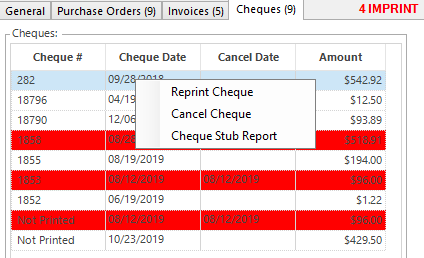
The cheques panel provides a listing of all cheques issued to the supplier and includes the Cheque #, Cheque Date, Cancel Date and Amount. The row for canceled cheques has a red background to clearly indicate that the cheque has been canceled.
Right clicking on any cheque in the list provides the following menu options.
Invoices Paid
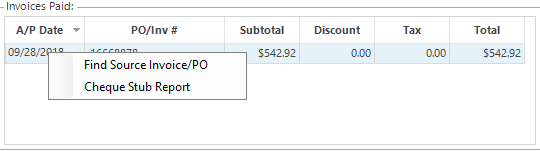
The Invoices Paid panel provides a listing of all invoices paid by the cheque in focus in the cheques panel. Right clicking on an invoice in the list provides the following menu options.
Note: Cheques issued from the Print Cheques module will appear int he list but there will be nothing in the Invoice Details panel as the cheque was posted directly to the general ledger.