Settings
This sections covers all of the settings available for te tee sheet an online booking (WebRez).
Launch Settings by clicking on the link in the Golf Manager group.
.PNG)
WebRez
The WebRez settings affect the performance of online booking. Thee are four tabs, described below:
Features
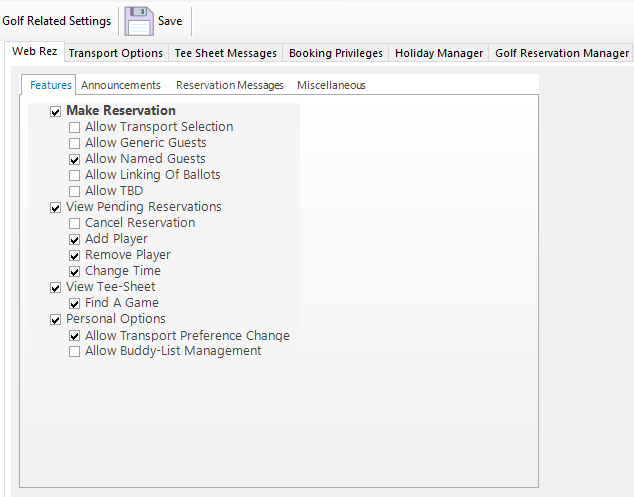
- Make Reservation: Booker can make a reservation o line
- Allow Transportation Selection: Booker can indicate the mode of transportation for each player in the group
- Allow Generic Guests: Booker can add unnamed guest to a booking
- Allow Named Guests: Booker can identify the guest by name when booking
- Allow Linking of Ballots: Booker can link ballots when adding ballots
- Allow TBD: Booker can add TBDs to a reservation
- View Pending Reservations: Booker can view pending reservations online
- Cancel Reservation: Booker can can cancel a reservation in which they are a participant
- Add Player: Booker can add a player to an existing reservation, if the reservation is not full
- Remove Player: Booker can remove a player from a reservation
- Change Time: Booker can change the time of a reservation
- View Tee Sheet: Booker can view the tee sheet online
- Find a Game: Booker can add themselves to a reservation which is not fully booked
- Personal Options: Booker can change personal options
- Allow Transportation Preference Change: Booker can change the default transportation method configured for their profile
- Allow Buddy Management: Booker can manage their buddy list.
Announcements
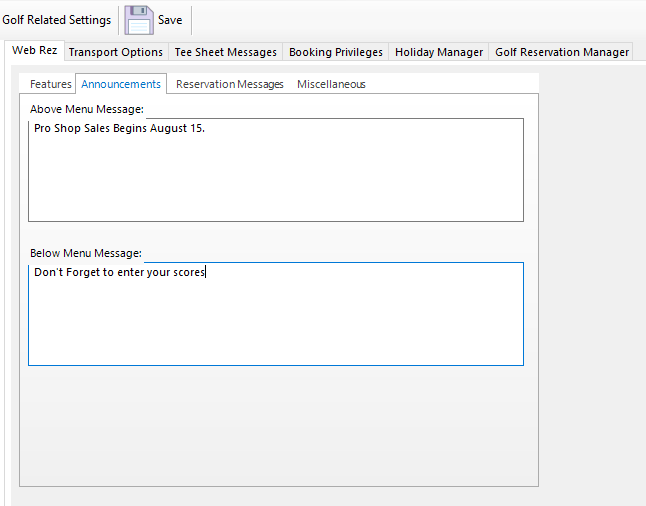
Announcements appear above and below the WebRez Pages.
Reservation Messages
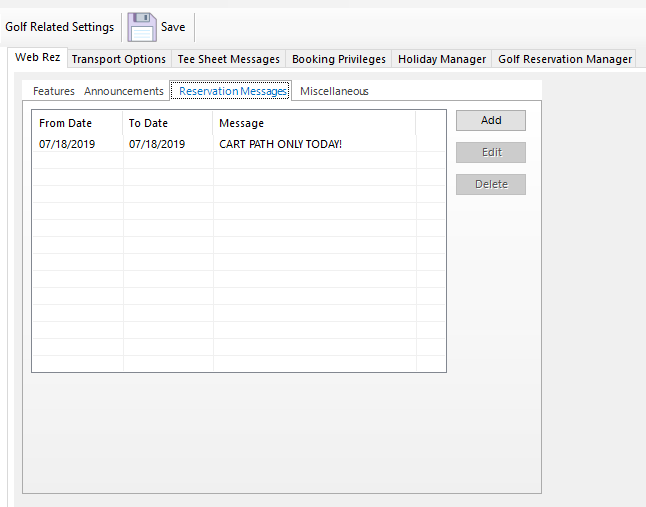
Reservation messages are date specific and appear when booking a tee time on a date where there is a message.
To add a message, click the Add button, complete the From Date, To Date and Message and click Save.
Edit and Delete options are also available.
Miscellaneous
.PNG)
Below is a description of each setting. Settings which have been grayed out are no longer supported and have been deprecated.
- View Read Only Times
- View Starters Times
- Show Name on Tee Sheet
- Show Blocked Times
- Maximum Viewable Tee-Sheet Days: The number of days including the current date that can be viewed. Whether a viewable time can be booked, will be determined by a golfer's golf category.
- Identification Field: Set to either Club ID or Username
- Reservation Type: Only Golf is currently supported
- Default Member Category for Online Guests
- Default Golf Category for Online Guests
- Outside Allowed Booking Times Message
Transport Options
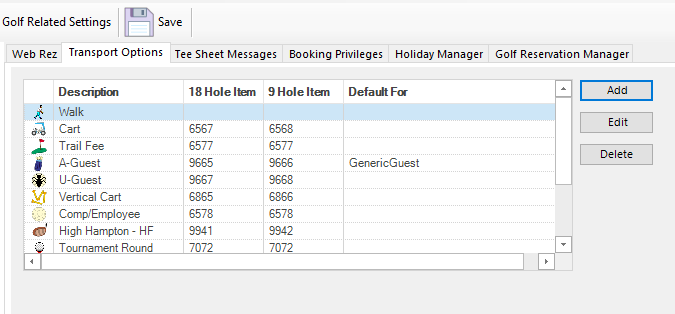
Each member can be assigned a default transportation option in Member Manager. That transportation option will automatically populate the transportation field when booking a tee time (unless overridden). Each transportation option can have a sales item associated with it for a 9 hole charge and an 18 hole charge. When charging a member from the tee sheet, the transportation charge will automatically be added to the ticket.
To add a transportation option, click on the Add button.
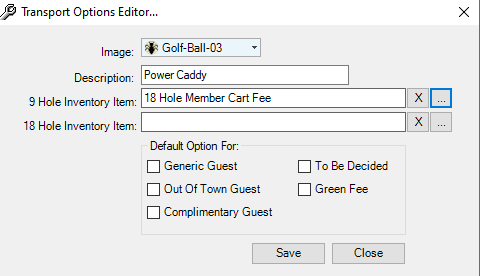
- Select an icon to represent the transportation method o the tee sheet.
- Provide a description
- Select a 9 hole inventory item (if applicable)
- Select an 18 hole inventory item (if applicable)
- If the transportation option will be the default for a non member type, check off the type(s)
Click Save.
Tee Sheet Messages
Tee sheet messages are date specific messages which will appear at the top of the tee sheet on the specified dates and are for the benefit of the golf shop staff.
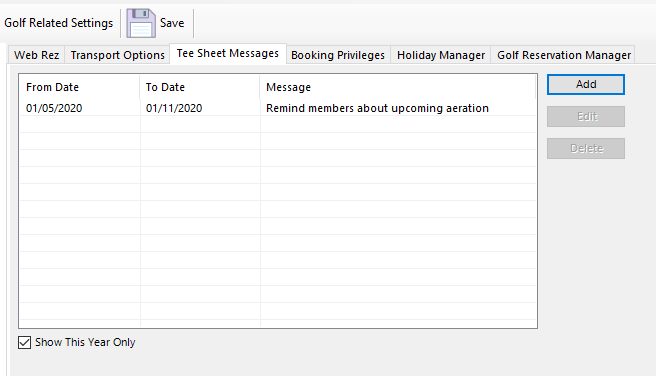
To add a Tee Sheet Message, click the Add button, complete the From Date, To Date and Message and Click Save.
Edit and Delete options are available.
Booking Privileges
.PNG)
- Tee times may be booked up to 'x' hours in advance of the tee time.
- Tee times may be canceled up to 'x' hours in advance of the tee time.
- Walk on time can be released for booking 'x' days in advance at a prescribed time.
Holiday Manager
To enable Holiday day of the week schedules and rules, the holidays have to be defined, using the Holiday Manager.
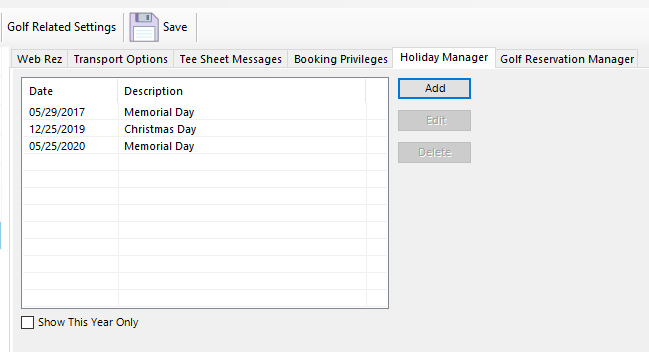
To add a holiday, click on the Add button and set the date and description and then click Save.
Edit and Delete options are available.
Golf Reservation
.PNG)
- Check off Use POS to check-in Players if you will be using the integrated POS for that purpose.
- Set the default member category for Generic Guests.
- Set the website name for Scorecard integration (only applies to Golf Canada clubs).