Tee Sheet
The Tee Sheet will be the focal point of your golf shop operations for booking tee times, modifying tee times, checking in golfers and processing POS transactions.
Interface
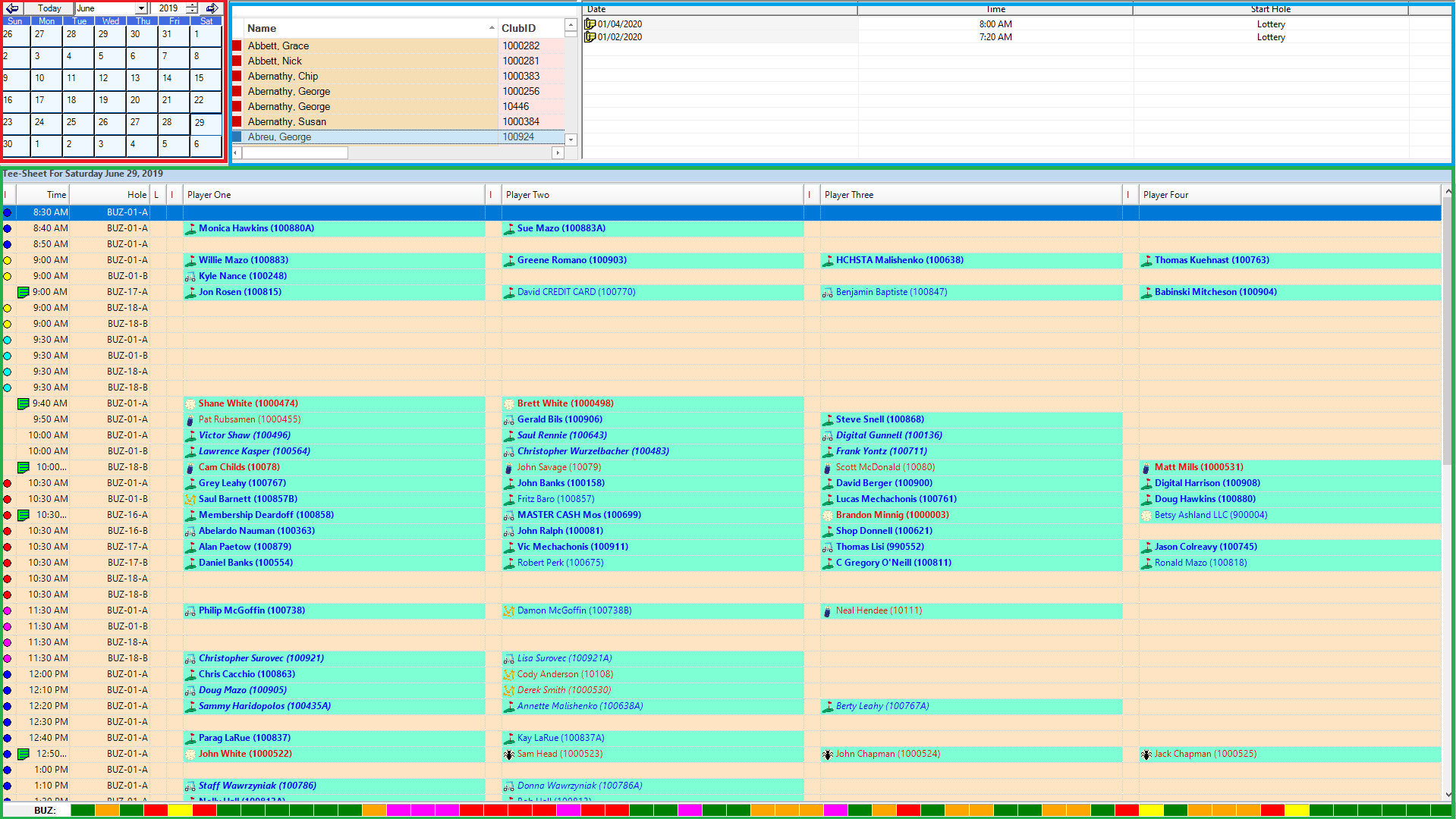
The Tee Sheet has been designed for simplicity and performance. There are three components:
- Calendar (outlined in red)
- Member List (outlined in blue)
- Tee Sheet (outlined in green)
Calendar
The calendar in the upper left hand corner of the tee sheet facilitates changing dates.
Member List
The Member List displays all members, guests and green fee players. Each type is color coded for easy recognition. The form to the right of the member list displays all of the tee times for that golfer for the year.
Tee Sheet
The Tee Sheet displays all of the tee times for the date selected. The status bar at the bottom shows the current status for all tee times for the day:
- Green for unbooked
- Yellow for a single
- Orange for a twosome
- Magenta for a threesome
- Red for a foursome
- White for blocked
The Tee Sheet is highly configurable and the configuration options will be addressed in this documentation.
Keyboard and Mouse Conventions
To facilitate performance, the Tee Sheet makes extensive use of use of keyboard shortcuts and right clicks. When you right click anywhere in the tee sheet, the following menus loads:
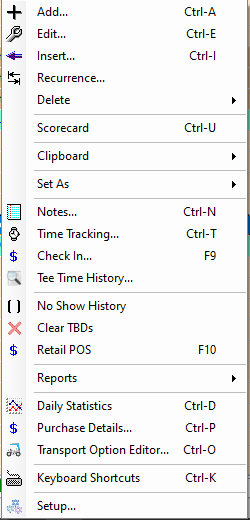
All Tee Sheet functions can be invoked from this menu.
There are also 40 keyboard shortcuts available. Once learned, they will considerably speed up the process of managing the tee sheet.
Point of Sale
The retail POS is fully integrated with the Tee Sheet. It will be launched when checking in a group or can be launched for a regular retail sales with a keyboard shortcut.