

This function of the software allows you to view any changes that have been made to all or specific members.
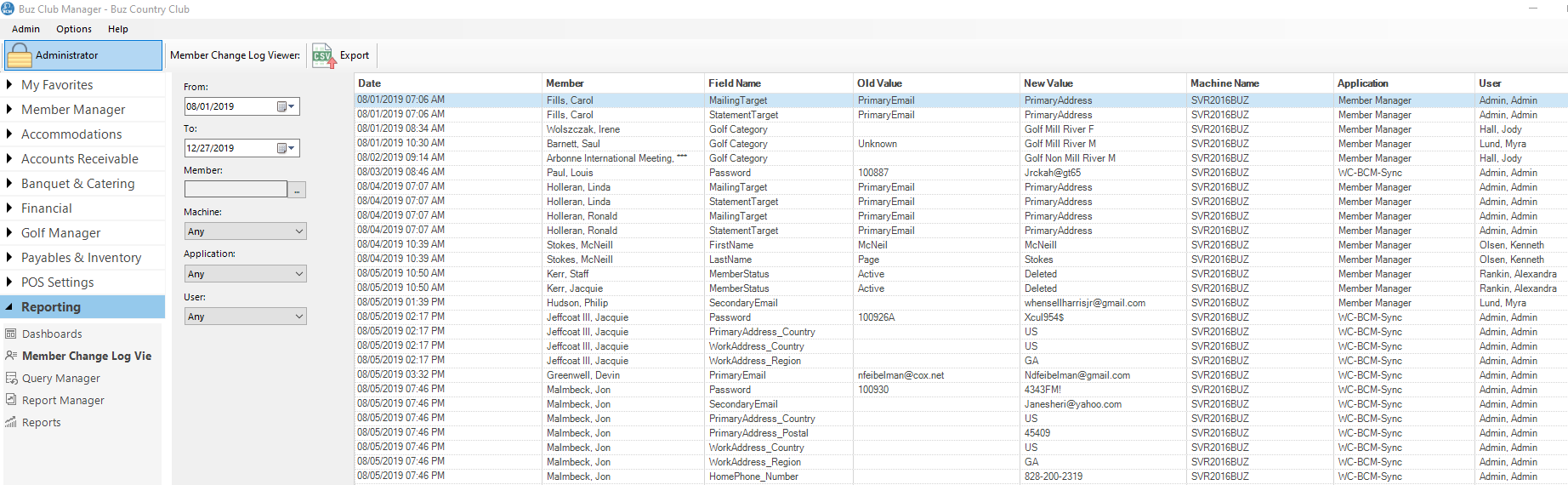
Step 1: Set the Search Criteria
Search criteria can be entered in the search box on the upper left of the report and include:
- From: Start date
- To: End date
- Member: Member to search
- Machine: DO NOT USE
- Application: Choose from Member Manager or WC-BCM-SYNC (website)
- User: Individual who made the change
Step 2: Search Results
Fields include:
- Date (date and time of the change)
- Member
- Field Name
- Old Value
- New Value
- Machine
- Application
- User
Export Results
You can export the results to a CSV file by clicking on the Export button on the Tool Bar.