

On occasion, there are many items in the general ledger with the same value. This can result in the wrong item being cleared during a bank reconciliation. To recover from this click on teh Closed Bank Transactions menu in the Financial group.
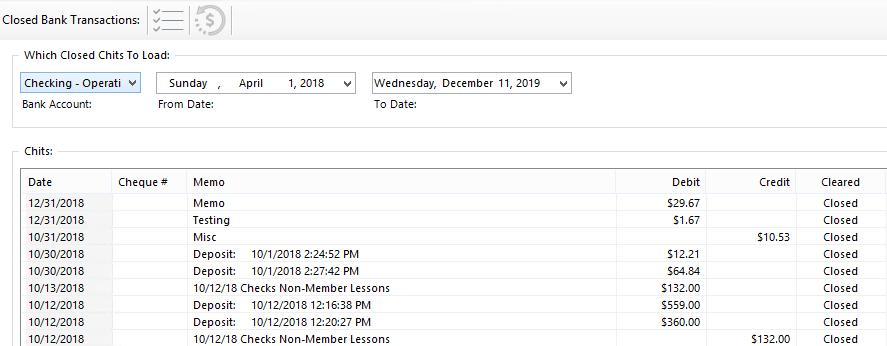
Select the desired bank account and the to and from dates. A list of cleared transaction will appear. Right Mouse Click on the transaction to be re-opened and select Set as Open. Once the confirmation is accepted, the item will now be open on the bank reconciliation form.
Warning: Re-opening an item will invalidate all bank reconciliations which have been done since and including the one which originally cleared the item which is to be re-opened. This feature should be used with extreme caution.