

Adding A Holiday
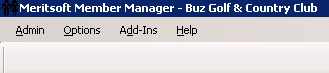
Go to the main toolbar in the top left corner of the screen and click options and scroll down to Holiday Manager:

The Holiday Manager window will open:

Click Add and a new window will open where you can add the date of the holiday and the name of the holiday. Once you have added the information click save:

The holiday you added will now appear in the list of holidays:

When you view the month of the holiday in your reservation manager you will see that the date now appears in red. The schedule for the holiday will run the way you set it up in your holiday schedule settings:
